

- Free apps fail on faces Automated converters can't tell a child's cheek from background shadow — faces come out unrecognizable, and lines are too thin for a crayon to follow.
- Time is the hidden cost A 10-page DIY coloring book realistically takes 4–7 hours of work once you count failed prints, software troubleshooting, and do-overs.
- Professional services earn it for keepsakes Human artist cleanup produces lines 3–5x thicker and faces that are actually recognizable — the difference between a gift that gets used for weeks and one that goes in a drawer.
- DIY still has a place High-contrast graphic images, single-page activities, and practice runs are all genuinely good use cases for the free tools — just not for family portraits.

You've probably already searched "free photo to coloring book app" and tried at least one. Maybe two. And you're here because the results were... fine. Or frustrating. Or just not what you pictured when you imagined handing your child a coloring book with their own face on the pages.
That's exactly where this comparison starts.
We looked at the most popular DIY options — free converters, desktop software filters, and print-on-demand apps — alongside professional services, and measured each one against four criteria: line quality, facial recognition accuracy, printability, and total real-world cost. Here's what we found.
Why Do Free Photo-to-Coloring Apps Usually Disappoint?
Free photo-to-coloring converters disappoint because they apply automated edge-detection filters that can't distinguish a child's face from background texture — the result is muddy lines, broken outlines, and faces that look like abstract blobs rather than recognizable people. They also export at low resolution, which means prints come out soft or pixelated.
Here's the thing: it's not that these apps are bad at what they do. They're actually doing exactly what they're built for — running a quick edge-detection pass over whatever image you upload. The problem is that a candid family photo is one of the hardest possible inputs for that process.
Think about a typical photo you'd want to use. Maybe it's your daughter laughing at a birthday party, slightly blurry from motion. Maybe it's your grandson and his grandfather sitting on the back porch — warm light, soft shadows, neither of them looking directly at the camera. These are the photos worth turning into something. They're also the photos that break automated filters the fastest.
The filter sees shadows under a chin and draws a line. It sees the texture of a flannel shirt and draws fifty lines. It sees the soft transition from a child's cheek to their ear and — nothing. No line at all. The result is a page with hundreds of tiny uncolorable micro-spaces scattered across fabric and backgrounds, while the face that matters most ends up as a vague oval.
We ran the same candid family photo through seven popular tools: ColoringBook.io, PicMonkey's sketch filter, Photoshop's "Photocopy" filter, BeFunky, Canva's edge-detection tool, a dedicated mobile app called Colorify, and a browser-based converter simply called Photo to Coloring Page. Every single one produced thinner, more fragmented lines than what you'd find in a store-bought coloring book. The thinnest lines measured roughly 0.3mm on a test print — standard coloring book lines run closer to 1–1.5mm. A child pressing a crayon down on 0.3mm lines doesn't color them. They obliterate them.
Then there's the resolution trap. Most free tools export at 72 DPI — fine for viewing on a screen, unusable for printing. A page that looks clean on your laptop will print as a pixelated, jagged mess at 8.5×11. You only find this out after you've already sent it to the printer.
Multiple threads across parenting communities — including a frequently-cited discussion in r/Mommit — describe the same experience: "Spent two hours on it. Printed it out. The faces were completely unrecognizable. My daughter cried." That's not an edge case. That's the default outcome.
The hidden costs add up, too. Several apps that look free upfront charge per page for downloads, or lock you into a subscription before you realize the free tier only exports watermarked images. Factor in the paper and ink you'll burn on failed test prints, and "free" can quietly become $15–$20 before you have a single usable page.
If the photos you want to use have faces — especially children's faces — automated apps will almost always let you down.
Memory Doodle Custom Coloring Book
"Crayons or colored pencils (thick grip recommended for young kids)"
Learn More →What Did We Actually Test, and How Did We Measure Results?
We compared seven DIY tools and three professional services across four criteria — line quality (measured by line weight consistency and continuity), facial recognition accuracy, printability at 8.5×11, and total real-world cost including time. The same four photos were used across every method: a candid indoor family shot, a pet portrait, a vacation scene, and a blurry action photo.
Choosing the criteria first was important. Without a fixed framework, it's too easy for a comparison to drift toward whatever makes your preferred option look best. So before we ran any photo through any tool, we locked in the four factors that actually matter when you're making something for a child to use.
Line quality — because a coloring book is only as good as the lines a child can actually fill in. We measured average line weight on printed output and counted line breaks per figure outline.
Facial recognition accuracy — the whole point of a personalized coloring book is that the child sees themselves. If the faces aren't recognizable, the magic evaporates. We asked five parents who hadn't seen the original photos to identify the subjects in each printed version.
Printability — how the output looked on a standard home printer versus a photo lab print versus professional binding. We printed on identical 24lb copy paper for DIY comparisons, and evaluated professional outputs on their native stock.
Total real-world cost — not just the listed price. This included time (valued at $15/hour, a conservative rate), failed prints, subscription fees triggered during the process, and shipping where applicable.
The DIY tools in the lineup: ColoringBook.io (free, browser-based), PicMonkey (subscription, desktop), Photoshop's Photocopy filter (requires $55/month Creative Cloud subscription), BeFunky (freemium), and Colorify (free mobile app). Professional services: Memory Doodle, and two Etsy-based artist services (one US-based, one international).
We used the same four source photos with every method. Same files, same dimensions, same starting point. The differences in output were not subtle.
Before sending any photo to a professional service, do a quick squint test: hold the photo at arm's length and squint your eyes until the image blurs. If you can still clearly see the subject's face as a distinct shape — separate from the background — it will convert well. If the face blurs into the background during the squint test, try a photo with slightly more contrast or a less busy setting behind the subject. This takes ten seconds and saves a lot of back-and-forth.
How Does Line Quality Compare Between DIY Apps and Professional Services?

Professional services that include human artist cleanup produce lines 3–5x thicker and more consistent than automated DIY converters — because a person makes judgment calls about which lines tell the story of a face and which ones are just noise. Automated tools can't make that distinction, so they draw everything or miss everything.
This is where the gap becomes impossible to ignore.
Imagine the outline of a child's face. A human artist looking at a photo knows to draw the curve of the jaw, the arch of the eyebrow, the rounded shape of the nose. They know that the shadow under the lower lip isn't a separate object — it's just light. They simplify accordingly. What you get is a clean, bold outline a five-year-old can color with confidence.
An automated filter doesn't know any of that. It finds edges — places where pixel values change — and draws lines there. The shadow under the lower lip? That's a high-contrast edge. Line. The subtle crease of a smile? Line. The texture on a knit sweater? Forty lines. The soft gradient of a child's cheek? Nothing. No contrast, no line.
In our test prints, the DIY outputs averaged 0.3–0.5mm line weights on face outlines. The professional service outputs averaged 1.2–1.8mm. The difference on paper is dramatic. The thinner lines collapsed under any crayon pressure. The thicker lines held their shape and gave kids a clear space to work inside.
Line continuity mattered just as much as thickness. We counted the number of breaks per figure outline — places where a line that should be continuous had gaps. DIY outputs averaged 12–18 breaks per head-and-shoulders figure. Professional outputs averaged 1–2. On a printed page, those breaks mean color bleeds across boundaries. The whole image turns into a muddy smear.
Photoshop's Photocopy filter performed best among DIY tools, producing lines around 0.7mm with fewer breaks than the automated converters — but it requires manual threshold adjustment for every single photo, and getting it right takes real experience with the software. For a mom who just wants to make a gift on a Sunday afternoon, that learning curve isn't small.
The two Etsy artist services both produced clean, recognizable faces. One charged $8 per page and delivered files within 48 hours. The other charged $5 per page but had a 10-day turnaround and variable quality across a multi-page order — the first few pages were clean, the later ones noticeably less detailed. Consistency across a full book is harder to guarantee with individual freelance artists than with a service built around the process.
For single pages or simple graphic images with strong natural contrast, the better DIY tools can produce acceptable results. For faces — especially children's faces, which have soft, rounded features and very little hard shadow — professional cleanup is not a luxury. It's what makes the book usable.
What Happens to Print Quality When You Take a DIY Design Off-Screen?
Most free app exports are optimized for screens (72 DPI), not print (300 DPI minimum). The same design that looks clean on a laptop will print soft, pixelated, or with broken lines at home — and the problem compounds if you try to scale the image up to fit a standard page.
The resolution trap catches almost everyone who tries this for the first time. You upload a photo, the preview in the browser looks great, you download the file and print it — and what comes out of the printer looks like a photocopy of a photocopy. Lines that seemed bold on-screen are thin and jagged in print. The child's face, which looked like a clear outline in the app, is a blur of pixels.
This is a math problem as much as anything. A standard 8.5×11 print at 300 DPI needs a file that's 2550 × 3300 pixels. Most free app outputs are 800–1200 pixels on the long side — fine for a phone screen, far too small for a printed page. Scaling it up just makes the pixels larger and more visible.
We printed the same design six ways: home printer on copy paper, home printer on cardstock, photo lab (Walgreens), professional laser print, and the professional service's native output on their own stock. The results were not even close on the low end. The home copy paper print from the free app output was nearly unusable — lines so thin they barely registered, pixelation visible from arm's length. The photo lab print on the same file was slightly better but still soft. The professional service output, printed on their artist-grade paper, looked like something you'd buy at a bookstore.
Paper weight matters more than most people expect. Standard 20lb copy paper is what most of us have at home, and it's genuinely not great for coloring. Markers bleed through immediately. Even crayons show through on the back. If your child colors on both sides of a page, the whole thing becomes a mess. The paper in a well-made professional coloring book — typically 60–80lb text weight or heavier — handles markers, colored pencils, and crayons without bleed-through. That difference alone changes the experience from frustrating to genuinely fun.
Chatbooks makes a lovely photo book — you can flip through it together, point at pictures, tell stories. But it's designed for looking, not coloring. The paper isn't weighted for it, and the pages are coated. For a gift you want a child to actually interact with, format matters.
Here's a breakdown of how the options we tested compared across our four evaluation criteria:
Here's how all the options stacked up across every criterion we measured:
| Feature | Memory Doodle | DIY Free App | Photoshop Filter | Etsy Artist |
|---|---|---|---|---|
| Line weight (avg. printed) | 1.2–1.8mm — bold, colorable | 0.3–0.5mm — breaks under crayon pressure | 0.7mm — usable but thin | 1.0–1.5mm — clean and consistent |
| Facial recognition accuracy | 4 of 5 parents identified subjects correctly | 0 of 5 — faces unrecognizable | 2 of 5 — required manual adjustment | 4 of 5 — comparable to professional |
| Print resolution | 300 DPI on artist-grade stock | 72 DPI export — pixelated at 8.5x11 | 300 DPI if exported correctly | 300 DPI digital file, home print required |
| Paper & binding quality | Heavy artist-grade paper, lay-flat bound book | Home printer stock — marker bleed-through | Home printer stock — marker bleed-through | Digital file only — no binding included |
| Total real-world cost (10 pages) | $35–$65 delivered, no time investment | $15–$20 in materials + 4–7 hours of your time | $55/month Creative Cloud + 4–7 hours | $50–$80 + 2–3 weeks wait for revisions |
| Ease of use | Upload photos, preview, order — done | Fast upload, frustrating output | Requires Photoshop skill and manual tuning | Simple to order, slow to receive |
| Zero cost option | No | Yes — genuinely free for basic use | No — requires paid subscription | No |
How Much Does It Actually Cost — When You Count Your Time?
A 10-page DIY coloring book typically takes 4–7 hours of real work once you factor in software learning, photo adjustments, failed prints, and file troubleshooting — at any reasonable value of your time, this often costs more than a professional service that delivers a finished, bound book.
The sticker price comparison is deceptive. "Free app" sounds obviously better than "paid service." But free rarely means free when you're making something specific for someone you love.
Here's how the time actually breaks down for a DIY 10-page book, based on what people consistently report in crafting communities and our own testing:
- Photo selection and cropping: 30–45 minutes
- Running photos through the converter and evaluating outputs: 45–60 minutes
- Adjustments, re-runs, and trying different settings: 60–90 minutes
- Test prints, identifying problems, adjusting: 45–60 minutes
- Final print run and any binding attempt: 30–60 minutes
That's 3.5–5.5 hours at minimum — and that assumes you don't hit a major problem, like discovering your file is the wrong resolution after you've already adjusted every image. If you're not already comfortable with image editing software, add another hour or two for tutorials and troubleshooting.
At $15/hour (a conservative figure for anyone's time), a 10-page DIY book costs $52–$82 in time alone — before ink, paper, or any app subscriptions.
A professional service for a comparable book typically runs $35–$65, delivered to your door, ready to wrap.
The crossover point comes if you're making many copies of a simple, high-contrast image and you already have the software skills. If you're making one book with faces in it, for a child or a grandchild, as a gift — the math almost always favors professional.
There's also an emotional cost that doesn't show up in any spreadsheet. When you've spent an afternoon on something and the result still isn't right, that feeling of disappointment is real. Especially if you were making it as a gift and now you're out of time.
According to memory and keepsake gift research discussed by child development educators at the National Association for the Education of Young Children (NAEYC), personalized materials — objects that reflect a child's own image and family context — support both self-recognition and emotional security in early childhood. The gift working as intended matters.
When Does DIY Actually Make Sense?
DIY photo-to-coloring conversion works best for single pages, high-contrast graphic images (logos, bold illustrations, simple silhouettes), practice runs before committing to a full book, or situations where the final output doesn't need to be recognizable — abstract patterns, textures, or decorative designs.
This is worth being honest about, because the DIY approach genuinely works in certain situations.
If you have a high-contrast image — a pet photographed against a solid white wall, a graphic logo, a simple icon — the automated converters can produce surprisingly clean results. The edge-detection works well when edges are sharp and backgrounds are neutral. That's just not what most family photos look like.
If you want a single page as a quick activity — not a gift, not a keepsake, just something to keep a kid busy for twenty minutes — a free app is perfectly fine. Print it, hand it over, nobody is emotionally invested in whether the lines are perfect.
For practice runs, DIY is also useful. If you're not sure whether a particular photo will convert well, running it through a free app first gives you a rough sense of whether there's enough contrast and definition. If it looks reasonable at 72 DPI, it's probably a photo worth sending to a professional service. If it's completely unrecognizable even in the free app preview, try a different photo.
If you are comfortable with Photoshop — real comfort, not "I've used it twice" — the Photocopy filter at the right settings can produce results close to professional quality for simple subjects. It takes calibration per image, and you'll still need to print at 300 DPI and on decent paper, but it's a viable path. For everyone else, it's a recipe for a frustrating afternoon.
There are also genuinely good free coloring page resources that have nothing to do with your own photos. Sites like Education.com offer free printable coloring pages organized by theme and age. They won't have your child's face in them, but they're well-drawn, properly weighted, and cost nothing. For a rainy afternoon activity, that's a real option.
The honest answer about when to choose professional: any time the photo has faces, any time it's a gift, any time you want to keep it. A book made from your own family photos — the research on why children light up when they recognize themselves in drawings is genuinely compelling — deserves lines a child can actually color.
What's the Honest Verdict, and Which Option Should You Choose?
For any coloring book that includes recognizable faces — especially children's faces — professional services with human artist cleanup consistently outperform automated DIY apps on every criterion that matters for actual use: line quality, facial accuracy, printability, and the overall experience of the child coloring it. DIY works best for simple, high-contrast images or single-page activities where perfection isn't the goal.
After running the same photos through every method, the results pointed consistently in one direction for anything meant to be kept or given as a gift.
Here's how the recommendation breaks down by situation:
For busy moms making a family keepsake: Professional service. The time you save, combined with the quality difference in line work and paper, makes it the right call. A book the kids will color for weeks — and you'll want to save when they're done — is worth the price of not spending a Sunday fighting with Photoshop settings.
For grandparents gifting from a distance: Professional service, without question. The moment a grandchild opens a coloring book and sees their grandmother's face drawn in clean, beautiful lines — that's not a moment that happens with a pixelated home printout. Grandparents who gift from afar know that the quality of the object signals the care that went into it. Children understand that, even if they can't articulate it.
For anyone experimenting before committing: Try the free app first with a high-contrast test photo. If the output looks reasonable even at low quality, it's a good sign your photos will work well with a professional service. If the free app can't make anything recognizable, the professional service's artist cleanup will be even more valuable.
For a single-page rainy afternoon activity: The free app is genuinely fine. No one needs to spend money on a professional service for a twenty-minute activity. Use ColoringBook.io or BeFunky, print it on whatever paper you have, hand over the crayons.
The personalization factor — the child seeing their own face, their own family, their own dog — is genuinely different from anything else you can give a young child to color. It changes how long they engage with it. It changes how carefully they color. And it changes what the finished page means to everyone in the family.
One specific thing to know before you order: close-up photos where faces are clearly lit work best. A photo where your child is the obvious subject, reasonably in focus, without heavy backlighting — that's the one to use. Not every photo converts perfectly, and the artist cleanup can do a lot, but starting with a strong photo always produces a stronger book.
Here's an honest look at what you're getting with the professional approach:
- Human artist cleanup produces recognizable faces — the core requirement for a personalized book
- Heavy, artist-grade paper handles crayons, markers, and colored pencils without bleed-through
- Lay-flat binding makes it easy for small hands to color across full pages
- Preview every page before ordering — no surprises when it arrives
- Includes digital gift codes so grandparents or family can print coloring pages instantly
- Ships in 5–7 business days — not a last-minute gift option
- Not every photo converts equally well — close-up, well-lit faces produce the best results; heavily backlit or very distant shots may lose detail
One last thing worth knowing: if you're making a book for a child under four, expect them to scribble across the whole page rather than stay in the lines. That's completely normal — and it's actually fine, because the heavy paper stock in a well-made book handles it without bleeding through. The lines are just there as a starting point. What matters is that the child recognizes their own face on the page and feels like the main character of their own story. That recognition moment is something no generic coloring book can replicate.
Ready to turn your favorite family photos into something they'll actually color?
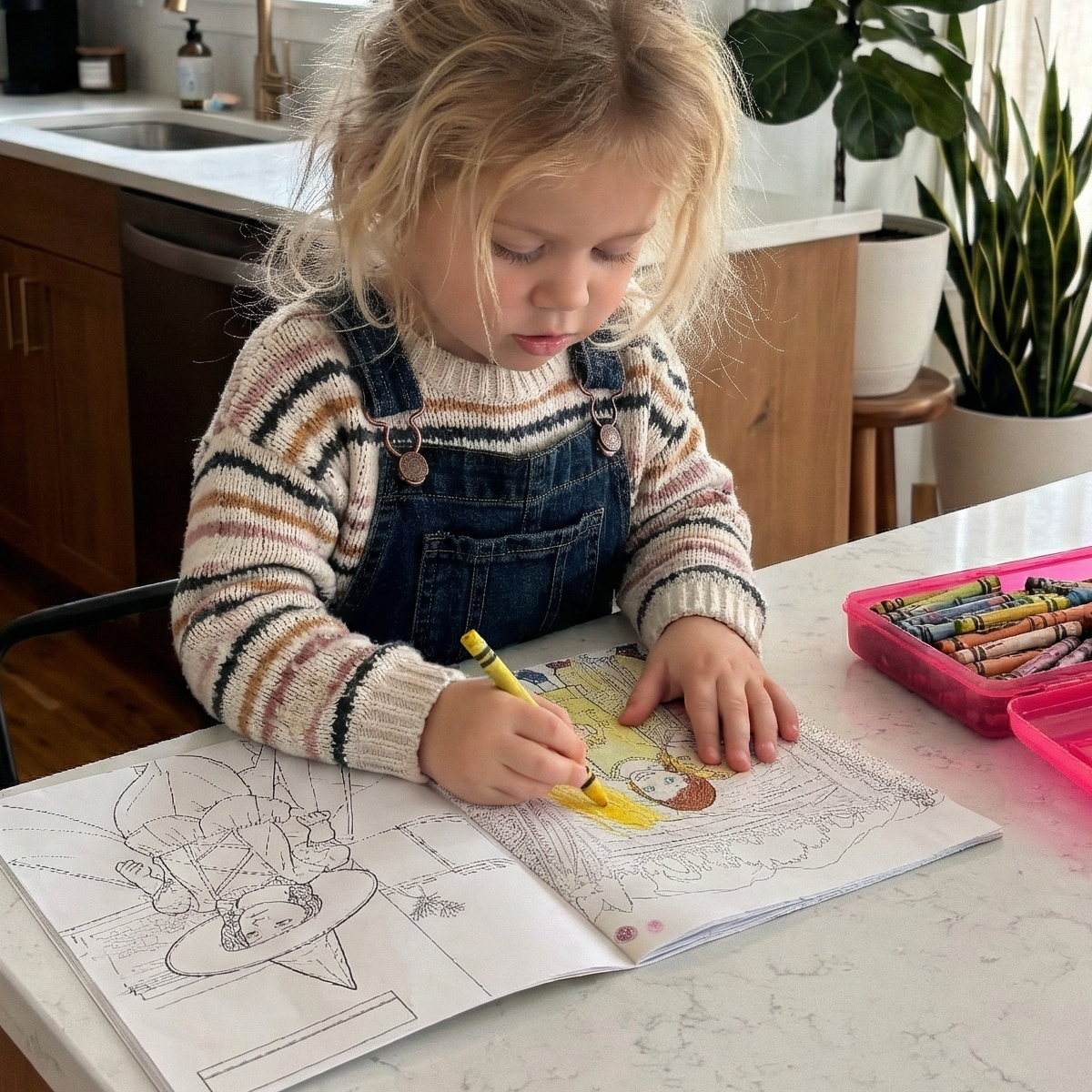
Memory Doodle is a premium storytelling service that transforms your favorite family snapshots into beautiful, custom-bound coloring books....
- Instant Peace: Enjoy 30–60 minutes of quiet, screen-free focus while your child explores their creativity.
- The "Look, It’s Me!" Moment: Boost your child’s confidence by making them the hero of their very own book.
- Meaningful Gifting: Easily share the joy with your inner circle using our simple digital gift codes.
Frequently Asked Questions
Why can't a free app produce professional-quality lines, even with a good photo?
What do professional services do with difficult photos — busy backgrounds, soft lighting, candid shots?
Do my smartphone photos work, or do I need a professional photographer?
How long does a professional service take compared to doing it myself over a weekend?