

- It's Not User Error Free converters use basic edge-detection that reads shadows and contrast, not faces, which is why eyes and smiles turn into dark smudges.
- Prep Only Goes So Far Cropping tight and fixing lighting helps, but even a well-prepped photo hits a ceiling with free tools built for speed, not facial detail.
- Done-For-You Closes the Gap A custom coloring book made from your real photos keeps candid, messy moments intact and prints them on paper built to last, not a blurry PDF.

That grey, smudgy mess your free converter spit out isn't a fluke. It's what happens when a basic edge-detection tool tries to read contrast instead of understanding a face — and it happens to almost everyone who tries these apps.
What Is the Promise vs. Reality of Free "Photo to Coloring Page" Tools?
Free converters promise a one-click transformation from photo to printable coloring page, but the reality is usually a blurry, low-contrast image with dark smudges where a smile should be. Most free tools were built for basic sketch filters, not for preserving facial detail.
You upload a picture of your kid mid-laugh, missing tooth and all, and the app spits back something that looks like it went through a photocopier five times. The eyes are gone. The smile is a black smear. Instead of clean lines your child can actually color inside, you get a page that looks smudged before a single crayon touches it.
It's not user error.
These tools were built to sketch outlines from any image — landscapes, buildings, pets — not to protect the fine details that make a photo of your child look like your child. Facial features get treated the same as a shadow on a brick wall. That's the root of the problem.
Why Do Free Converters Fail? The Technical Breakdown of Edge Detection
Free converters rely on basic edge-detection filters, which flag pixels based on contrast shifts, not on what the object actually is. A shadow under the chin gets treated the same as an eyebrow, so the software can't tell the difference between a real edge and a lighting artifact.
Here's what's actually happening under the hood, in plain terms. Edge detection works by scanning for sudden jumps in brightness between neighboring pixels. Where the jump is sharp, the software draws a line. Where it's gradual, it either fades the line out or fills it in as shading. That's the entire method.
This works fine for a coffee mug on a white counter. It falls apart on a human face.
Faces have soft, gradual contrast — skin tone, cheek shadows, the way light wraps around a nose. There's no sharp edge for the software to detect there, but around the eyes, mouth, and teeth, the contrast changes fast. So the algorithm overcorrects. It draws thick, dark blobs around anything with contrast and gives up on the low-contrast areas that actually define a face's structure. You end up with an image where the parts you want detailed — the eyes, the smile — turn into shadowy mush, while flat, simple areas like a shirt or wall get an oddly complete outline.
Lighting makes this worse. A photo taken indoors under yellow bulb light, or outside with harsh sun casting shadows across half a face, gives the software mixed signals. It reads shadows as edges. That's why so many home-converted photos come back with dark smudges under the eyes or a strange dark line splitting a cheek in half — the software thought a shadow was a wrinkle or a feature. The edge detection method itself was never built to understand "this is a nose" versus "this is a shadow." It only understands numbers.
Busy backgrounds compound the issue. A cluttered kitchen, a patterned couch, or a crowd of other people in frame gives the software dozens of extra edges to chase — turning a birthday cake into confetti of stray lines and burying your child's actual face in visual noise.
Before uploading any photo, zoom in on just the face at 100% on your phone or computer screen. If the eyes and mouth look sharp at that zoom level, the conversion will hold up. If they're already soft or pixelated at full zoom, no converter — free or paid — can recover detail that isn't there.
What's the Real Cost of DIY Converting — Wasted Time, Ink, and Disappointed Kids?
The hidden cost of free converters isn't just a bad printout — it's the printer ink spent on pages covered in dark grey shading, the hours lost trying five different apps, and a kid who gives up because the lines are too muddy to color inside.
Most parents don't stop at one app. They try one, get a smudgy result, try another, get a slightly different smudgy result, and start manually adjusting contrast in a free photo editor hoping to salvage something. An hour in, they've burned through a full ink cartridge printing test pages that all look roughly the same: dark, blotchy, and nothing a five-year-old wants to color.
And here's the part that stings the most.
Kids under 6 don't have the fine motor control to color inside vague, blurry borders. A muddy line drawing doesn't read as "abstract" to a toddler — it reads as confusing. Occupational therapists who work on early fine-motor skills often note that clear, well-defined borders help children stay within lines and build confidence, while ambiguous ones lead to scribbling everywhere out of frustration, not creativity. When the lines aren't clean, the activity that was supposed to be calming turns into a mess of dark crayon over dark ink, and the kid walks away instead of finishing.
That's real money and real disappointment for a project that was supposed to be fun.
How Can You Prepare Your Photos for Better Line Art Results?

Choose high-contrast candid photos with simple backgrounds and even, natural lighting. Crop tightly around the subject before converting, and manually boost brightness and contrast to reduce shadow noise the software might misread as extra lines.
If you're going to try converting a photo yourself, a little prep work goes a long way, even with a flawed tool.
- Pick photos with simple backgrounds. A plain wall or open sky gives the software fewer stray edges to chase than a cluttered playroom.
- Use natural, even lighting. Outdoor light on an overcast day is your best friend — no harsh shadows splitting a face in two.
- Crop tightly. Cut out anything you don't want turned into lines before you upload. The less clutter in frame, the cleaner the result.
If you want a gift that gets used for weeks instead of minutes, here's what to check before you commit to any method:
Before you order
You need about five photos, not fifty.
Close-up faces with decent light turn out best. They do not need to be recent, and they do not need to be good. A screenshot from the family group chat works fine.
Nothing is a surprise.
You see what each photo became before you pay for anything, so a photo that did not work is something you find out now rather than when the book arrives.
Allow five to seven business days.
Each book is made to order, then printed and bound. Worth knowing if you are shopping close to a birthday.
$24.95 for the first book, $10 for each one after.
Flat $5.95 shipping on any order, however many books are in it.
Even with perfect prep, free converters still hit a ceiling. They're built for speed, not for reading a face the way a person would. That's the gap a done-for-you approach closes.
Here's a straightforward look at how the free-tool route stacks up against a couple of other options.
| Feature | Memory Doodle | Free Converter App | DIY Photo Editing |
|---|---|---|---|
| Line clarity on faces | Clean, defined lines that preserve facial detail | Often muddy or dark blobs around eyes and mouth | Improved but inconsistent, depends on skill |
| Cost | Paid, one-time per book | Free | Free (just time) |
| Speed | 5-7 business days to receive | Instant download | 30-60 minutes of manual editing |
| Paper/print quality | Heavy, artist-grade, lay-flat bound | Whatever home printer paper you use | Whatever home printer paper you use |
| Keepsake durability | Built to last decades | Loose printer paper, fades and tears | Loose printer paper, fades and tears |
What Is the Done-for-You Solution for Turning Memories Into Line Art?

A custom coloring book made from your own photos turns real, chaotic family pictures into clean line art without any app-fiddling. Instead of a blurry PDF, you get pages printed on heavy, artist-grade paper, bound so it lies flat while little hands color.
This is where Memory Doodle's Custom Coloring Book comes in — not as a shortcut, but as the step that actually solves the problem free tools can't. Instead of an algorithm blindly chasing contrast, real attention goes into figuring out how to keep a smile a smile and an eyebrow an eyebrow, even from a slightly blurry phone photo taken mid-birthday-party chaos.
Messy, real-life photos are actually the point. The flour-covered face from a baking afternoon. The gap-toothed grin from a soccer game. Those candid, imperfect moments are exactly what turn into pages a kid recognizes instantly — and recognition is what keeps them coloring for more than five minutes.
It's not a printout, either. The book is heirloom-quality, made to be kept for years rather than tossed after one use. Lay-flat binding means the pages stay open on a table without a parent holding them down, and the paper is thick enough that a heavy-handed colorer doesn't bleed through to the next page. Every order also comes with digital codes so you can gift free coloring pages to grandparents or cousins — a nice way to spread the moment further than just your own living room.
One honest note: turnaround takes about 5-7 business days, so this isn't a same-day fix if you need something for tomorrow's rainy afternoon. And not every photo converts equally well — very dark or heavily backlit shots still need decent lighting to start with. But for a gift a kid pulls out weeks later, it's worth the short wait.
If a screen-free evening ritual is part of why you're doing this in the first place, it might pair well with ideas from this piece on cutting screen time battles. And if you're weighing whether a nicer keepsake is worth the extra cost over cheap printables, this breakdown on cost per use is worth a look before you decide.
Quiet counts for something too.
There's a particular kind of calm that happens when a kid is bent over a table, crayon in hand, fully absorbed in a picture of themselves. No screen. No noise besides the scratch of color on paper. That's the actual goal here — not just clean lines, but a few minutes of a child completely somewhere else, happily lost in their own story.
Curious how the whole process works from photo to finished book? This walkthrough covers it step by step.
Before you decide which route fits your family, here's the honest breakdown.
- Preserves facial detail free converters typically lose
- Uses real, candid photos instead of requiring studio-quality shots
- Heavy paper and lay-flat binding hold up to years of use
- Comes with bonus digital codes to gift pages to family
- Screen-free activity that holds attention longer than a printed PDF
- Takes 5-7 business days to ship, so it's not a last-minute gift
- Very dark or heavily backlit photos still need decent lighting to convert well
One thing most guides skip: check your photo's file size before you even start. If it's under 1MB, chances are it's already lost detail your line art needs — email attachments and social media downloads compress images hard. Pull originals straight from your camera roll instead.
Tired of muddy lines from free converters?
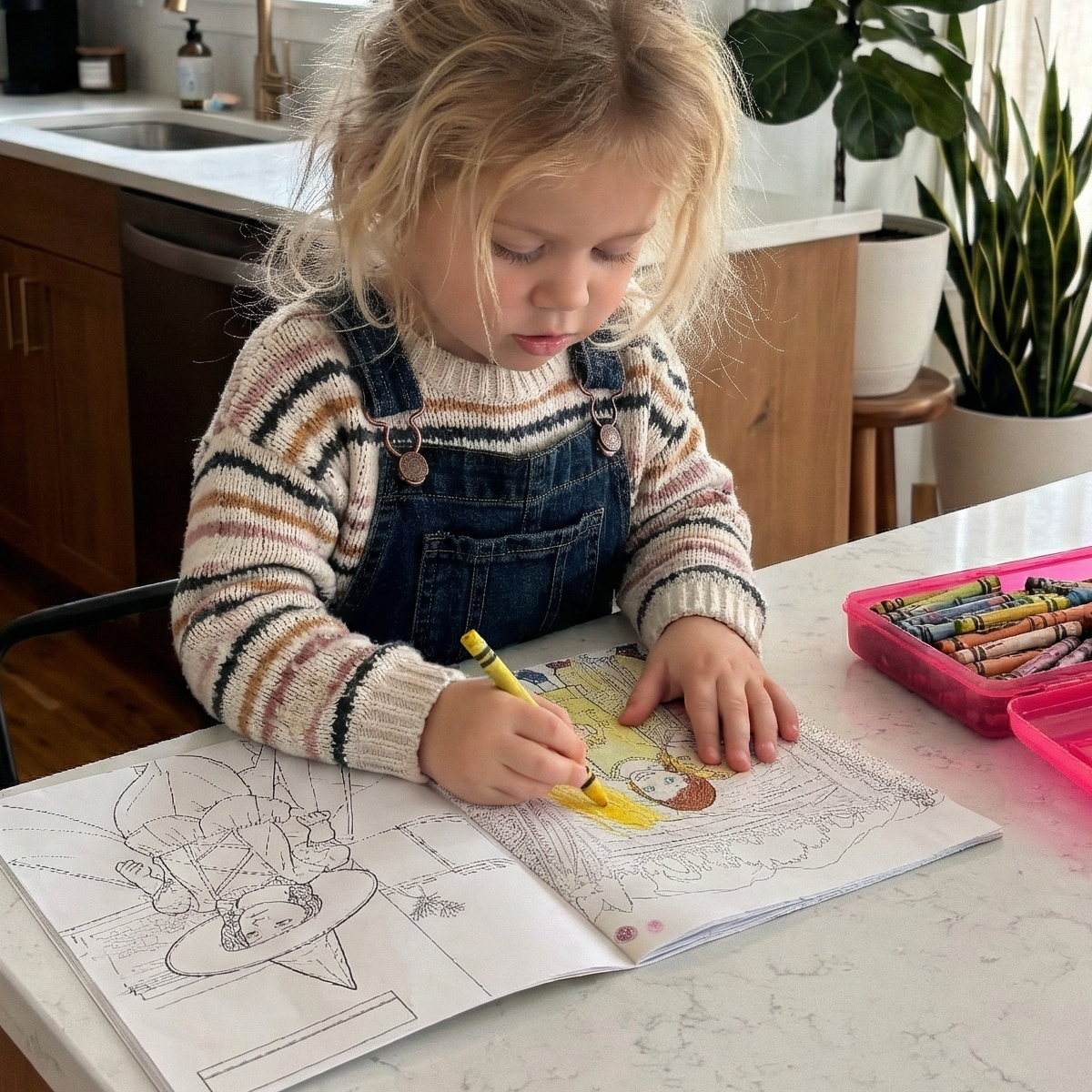
Memory Doodle is a premium storytelling service that transforms your favorite family snapshots into beautiful, custom-bound coloring books....
- Instant Peace: Enjoy 30–60 minutes of quiet, screen-free focus while your child explores their creativity.
- The "Look, It’s Me!" Moment: Boost your child’s confidence by making them the hero of their very own book.
- Meaningful Gifting: Easily share the joy with your inner circle using our simple digital gift codes.